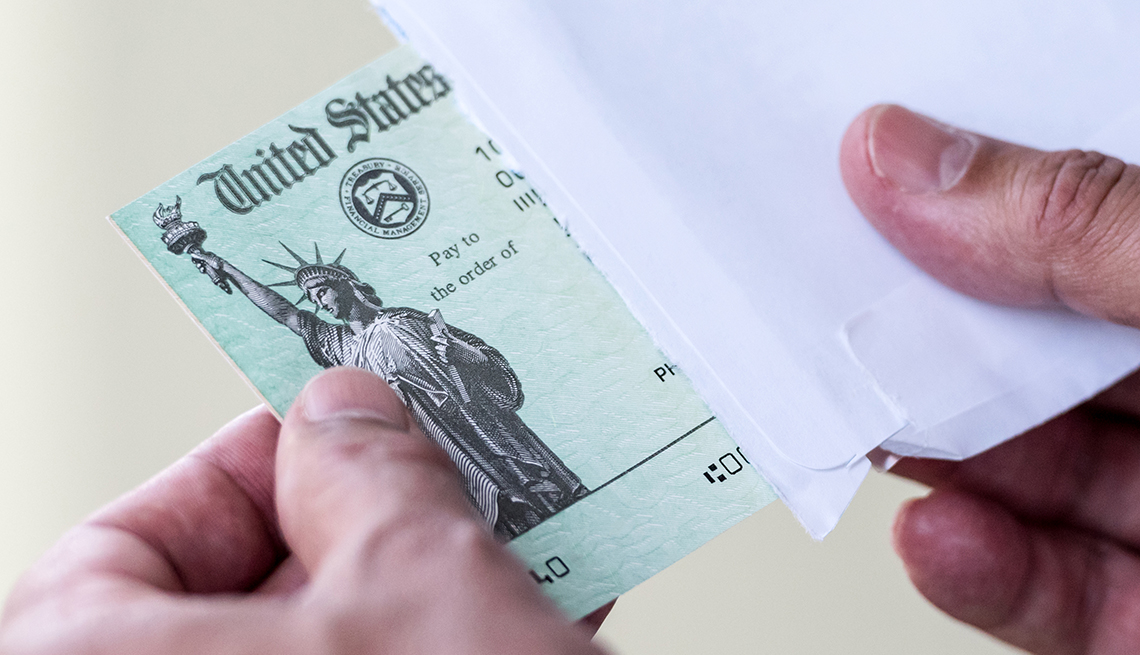
The Internal Revenue Service’s new “U.S. Tax Return for Seniors” could make filing season a bit less taxing for some older taxpayers — provided you qualify to use it.
If you or your spouse were born before Jan. 2, 1955, you may be able to use Form 1040-SR instead of the more complicated Form 1040. (Note: You don’t have to be retired to file the 1040-SR.) Both forms use the same “building block” approach introduced last year that can be supplemented with additional schedules as needed. Taxpayers with straightforward tax situations should need to file only Form 1040 or Form 1040-SR with no additional schedules.
The senior tax return form generally follows the familiar 1040, albeit with slightly larger type for older eyes. It also has a chart for calculating your standard deduction — a good way to ensure that taxpayers 65 and older take the larger standard deduction to which they are entitled.
Congress mandated the 1040-SR because the previous simplified return, Form 1040-EZ, didn’t accommodate some typical items for older taxpayers, such as Social Security benefits, IRA distributions, and pension and annuity payments. As such, older filers had to fill out the more complex 1040 form even though their returns weren’t complicated. The 1040-SR does include those items. The 1040-EZ form is no longer in use.
Most tax-return software will generate a form 1040-SR; however, the form is most beneficial to filers who fill out paper returns by hand. If you use tax software to file taxes, as nearly 90 percent of taxpayers do, the software will choose which form is best for you. “If you are filing using a paper form, then there might be some benefit,” says Henry Grzes, lead manager for tax practice and ethics at the American Institute of Certified Public Accountants. “If you are using tax preparation software, it really doesn’t matter.”
Technology is constantly changing, and with each new platform or device comes a new worry about security. Tech support scammers aim to exploit this fear, claiming your computer or mobile device is dangerously ill and needs an immediate, costly cure. These fake technicians are out to steal your money or your identity, not save your machine.
Microsoft has estimated that tech support scams victimize 3.3 million people a year, at an annual cost of $1.5 billion — with an average loss of more than $450 per victim. And these numbers are probably on the low side, since many victims never realize that their “repair” was unnecessary.
How It Works •You get an unsolicited phone call or email from a big tech company like Microsoft or Apple, or you see a pop-up message on your screen warning that a virus or other malicious program has infected your device, and you need to call the number on the screen right away.•A “technician” asks for remote access to your device, and once in, shows you some files that “prove” you have a major problem.•The “technician” says they can fix your problem for a fee, and then may offer you a monthly subscription to keep your device safe.
What You Should Know• Big tech companies like Microsoft or Apple say they don’t call customers out of the blue to warn them of problems on their devices.•The concerning files the “technician” may show you on your device are completely benign.•The scammer may ask you to pay by purchasing a gift card and providing the account number and PIN — a sure sign that it’s a scam, as is a request for payment by wire transfer.•The scammer may call back months later and offer you a refund for some phony reason, asking for your bank account information to deposit the money; this is a ruse.•Here’s audio of a tech support scam call as recorded by the Federal Trade Commission.
What You Should Do• Screen incoming calls with an answering machine or voice mail, and once you listen to the message, decide if it warrants a call back.•If the caller claims you have a problem with your computer or the software on your computer, it is a scam, so don’t engage or return the call.•If you get a pop-up that freezes your screen, shut down your computer and restart it.•Keep your security software, browser and operating system up to date.•If you think your device is infected, get it checked out by a reputable source; most big box electronics retailers offer tech support services.•If you realize you’ve fallen victim to this scam, and you’ve paid by credit card, contact your financial institution to dispute the charge and to cancel any monthly fees you may have agreed to.•Report scams to the Federal Trade Commission at ftc.gov/complaint.
Gift cards have become one of Americans’ favorite ways to mark birthdays and holidays. A new survey by AARP reveals that 70% of U.S. adults plan to purchase gift cards as presents this holiday season. But be forewarned of potential scams.
How It Works Scammers have come up with novel ways to drain the value of gift cards, or to convince us to buy them at a discount.
What You Should Know• A common trick is for thieves to compromise gift cards hanging on store racks. Often, they expose the PIN on the back and then cover it back up with easy-to-obtain replacement stickers. When someone buys and loads a compromised card, the scammer is notified and drains the value from the card.•Fraudsters also lurk on resale or auction websites, ostensibly offering items at an attractive discount. Once they get you interested in buying, they’ll ask you to pay with a gift card. As soon as they get the card number and PIN from you, they vanish, and so does the money on the card.•Scammers send emails or text messages, supposedly from a familiar store or organization, saying you’ve won a gift card. To claim it, you just need to provide contact information, click through to a website or answer a few survey questions. Their goal may be to unleash malicious software on your device to access sensitive information, or to use your data for identity theft or to sell to marketers.
What You Should Do•Examine gift cards carefully for signs of tampering before you buy them. Keep the activation receipt with the gift card. You can also register your card with the retailer if the option is offered. This makes it easier to track and quickly report any issues.•Be wary of cards hanging on racks that are easily accessible. See if you can purchase gift cards that are protected behind the counter, or buy them online directly from the retailer.•Delete any unsolicited email or text message offering you a gift card, without responding. And never give your personal information to anyone in exchange for a gift card.•Buy gift cards directly from the businesses where they can be used. If you do go through an auction site or other secondary market, check reviews, and only buy from reputable resellers.
Gratitude is a greatly underused emotion. Sometime around mid-November, we take it out, dust it off, put it on display and admire it for a while. Then, come January, we promptly place it back on the shelf for another ten months.
Outside of those precious few weeks at the end of the year when holiday gestures and gatherings abound, we often don’t have the time or energy for giving thanks and fostering feelings of gratitude. But, research shows that there are a number of benefits associated with expressing gratitude for the people who help make our day-to-day lives easier and happier.
Studies have shown that people who keep gratitude journals to regularly record the things they are thankful for are physically, psychologically and socially better off than those who don’t attend to feelings of appreciation. Journal writers are more alert, get better sleep, have lower blood pressure (by as much as 10-15 percent), are more likely to engage in healthy behaviors (e.g. eating right, exercising regularly) and have stronger interpersonal relationships.
While the benefits of acknowledging your gratitude are personally significant, expressing these feelings to those around you can help spread the positive effects. Instead of extending a simple “thank you,” try these 20 timeless ways to express how much you appreciate the important people in your life.
With your love. Saying, “I love you,” is sometimes all the thanks a person needs.
With your ears. Listening is perhaps one of the most underappreciated gifts you can give. Lend an ear to friends, family and fellow caregivers and they will know how much you care about them and appreciate their love and support.
With a donation. Does a special person in your life have a cause that is dear to their heart? Instead of getting them a trinket or a gift card, consider making a donation in their name to their favorite charity. It doesn’t have to be a substantial donation to convey your understanding of how important the matter is to them.
With an image. Pictures can often convey feelings that words alone cannot. Find a photo that expresses your feelings of gratitude and send it with a simple thank you note. It could be a photograph of you two together, a quick sketch, a comic or an image you find online—whatever visually represents how you feel.
With a trophy. Who doesn’t love an award? To recognize someone who has gone out of their way to take good care of you or your loved one, make a personalized paper certificate or plaque with a clever title, like “World’s Greatest Dentist” or “Number One Nurse.” It may sound hokey, but it shows your appreciation and encourages the person to keep up the excellent work.
With a hug. Let’s face it, we could all use one. Human touch is important for good mental and physical health, but physical contact tends to fall by the wayside in our busy and increasingly digital culture. Take a moment to literally reach out and let someone know you care.
With sincerity. A cardinal rule of thanking someone is to say it like you mean it. Do it with a smile and gussy it up a little bit. Let the person know, “I couldn’t have done this without you,” or, “Your help means a great deal to me.” It’s underwhelming to receive a lukewarm, “Thanks,” so make a point of including why you’re appreciative and how much they mean to you.
With personality. When communicating your appreciation with a gift, make sure it’s tailored to the recipient’s individual preferences and interests. For example, if you want to express your gratitude to a music lover, make them a thoughtful and personalized playlist or give them a subscription to an online music streaming service like Pandora or Spotify. Small gestures that take some thought and effort are far more meaningful than pricey, generic gifts.
With a party. Throwing a shindig in a person’s honor is one way to show the social butterfly in your life how much you appreciate them. Perhaps it’s for a friend who occasionally comes to your home to watch your dad while you run errands or the ladies from church who take Mom out for lunch one day each week. Putting together a small gathering lets the honorary guest(s) know how important they are to you and the rest of the care team. You get bonus points for giving a brief speech or toast about their contributions in front of family and friends.
With a referral. Did your loved one’s hair dresser give them a great new do? Ask him or her for extra business cards to hand out to family and friends. Many people who provide professional services thrive on good word of mouth to expand their businesses and gain new customers.
With a note. Unlike a quick email or phone call, a hand-written card shows the recipient that their actions are deserving of a proper thank you. Even if you already expressed your gratitude in person, sending a follow-up note in the mail is a pleasant surprise that lets them know your appreciation is not fleeting. But, don’t worry about buying a special greeting card or writing a long letter inside. A few heartfelt sentences on a blank card go a very long way.
With culinary treats. Food is one of the few things all human beings share a common love of. Expressing your thanks in the form of a homemade dish is nourishing for a person’s body and soul. For example, give your in-home caregivers little loaves of banana bread or chocolate chip muffins that they can take home to their families. Sweets are go-to gifts, but a savory side or entrée can do double duty by reducing the recipient’s workload and freeing up some time that they would have otherwise spent making a meal.
With your deeds. Actions are well known for carrying more clout than words. After thanking someone who has done you a service, honor their efforts by paying forward their good deed. Share the love by doing something for someone else who needs help.
With your time. Spending quality time with a friend or family member indicates that you value your relationship with them. It doesn’t have to be anything big. An impromptu movie night or cup of coffee with someone you care about can help keep your connection strong and show that you are willing to invest time and effort to help it grow.
With an endorsement. Publicly praising someone who performs a service for you is a great way to say “thank you” and boost their confidence. Give the skilled and attentive surgeon who just handled your loved one’s hip replacement a shining review on the Internet. Write a note to the manager of your local grocery store about the friendly check-out clerk who helped you juggle a load of groceries while trying to transfer Dad from his wheelchair into the car. Give a personal shout out on Facebook to your sister for watching Mom for a few days so you could have a weekend off from caregiving. Everyone deserves praise for a job well done.
With a smile. Sometimes a genuine smile is all you need to say thanks.
With your patience. Everyone has their good and bad days. Keeping your cool when a friend or family member is being frustrating demonstrates your love and commitment to preserving the relationship.
With the unexpected. Don’t be afraid to get creative when expressing your gratitude. Writing a short poem, running a quick errand or giving a flower you found in your garden can all brighten a person’s day and make them feel appreciated. Think outside the box.
With your help. Reciprocity is very important in relationships. The best way to show your appreciation is to return the favor. Does your sister need someone to watch her kids for a few hours while she runs errands? Could your neighbor who keeps an eye on Mom from time to time use some assistance with the yardwork? Ensuring give and take will help to create a strong, supportive and mutually beneficial relationship for everyone involved.
With inclusivity. Take care to never overlook the “little guy” when showing your gratitude. For example, the nurses and CNAs who help your loved one with daily tasks in the nursing home probably don’t get enough thanks. After all, many of the seniors they care for aren’t exactly keen on their assistance or are unable (or unwilling) to express their appreciation. A short note or $5 gift card to Starbucks can let the staff members know how much you and your loved one value their hard work.
While veterans and nonveterans alike are targeted by scammers, an AARP study found that veterans are twice as likely as nonveterans to lose money to fraud schemes. And nearly 80% of veterans reported being targeted by scams related to their service, such as fundraising appeals from fake military charities or being told of “little known” government programs that could mean cash for veterans. As we honor those who have served our country this Veterans Day, know that scammers go to great lengths to target their money, their benefits and their commitment to current and former soldiers.
How It WorksTargeting veterans can take many forms. These include:•The Cash-for-Benefits Scheme: Predatory lenders target veterans in need of money by offering cash in exchange for future disability or pension payments. These buyouts are typically a fraction of the value of the benefit.•The Update-Your-Military-File Scam: A caller claims to be from the Department of Veterans Affairs and asks to “update” their information, but really is hoping to get personal information to steal your credit.•Charity Scams: A caller claims to be raising money for disabled veterans or veterans with cancer. But often, the so-called charity is not registered with the government or uses most of the money to raise more funds and pay their own salaries.•Employment Scams: Con artists post bogus job offers to recruit veterans on various online job boards. The scammer may use or sell the personal information provided in the job application. It’s likely a scam if you have to pay to get the job, you need to supply credit card or banking information, or the ad is for “previously undisclosed” federal government jobs.
What You Should Know•If you are a veteran, be mindful that scammers see you as a hot prospect. You have the power to protect yourself by knowing this and engaging your inner skeptic when considering special offers or requests for personally identifiable or otherwise sensitive information.•The Veterans Affairs will never call you, e-mail or text you to request money.
What You Should Do •If you get an unexpected call from the VA, hang up and call the VA back at a verified phone number, and ask if the VA is trying to reach you.•Check out charities at www.give.org or www.charitynavigator.org before giving any money. Make donations directly to the veterans organizations you know.•Only work with VA-accredited representatives when dealing with VA benefits; you can search for them online at the VA Office of General Counsel website.
Guarding your identity and credit doesn’t have to be expensive. In fact, one of the most effective ways you can help protect yourself is with a free credit freeze. A credit freeze safeguards your credit and is the most effective way to protect against identity fraud. With a credit freeze, an identity thief is unable to obtain credit in your name, thereby greatly minimizing the potential damage that identity theft can cause.
How It Works • Fraudsters can use information gathered from data breaches to establish credit in another person’s name, posing significant financial liability on the unsuspecting consumer and negatively affecting the consumer’s credit rating. With a freeze in place, no one can open a line of credit in your name. • A credit freeze restricts access to your credit file, so you will need to lift the freeze before applying for new credit, and then refreeze it. (These steps are free.) • You can freeze your credit by phone, online or by mail with all three credit bureaus: Experian, Transunion and Equifax.
What You Should Know• In most states, credit freezes remain in place indefinitely, and are only lifted when you ask for it to be. But in a few states, they expire after seven years.•A credit freeze does NOT affect your credit score.
What You Should Do• If you are not planning to request a credit line anytime soon (say for a car purchase, mortgage or credit card), set up credit freezes today to protect against identity fraud.•Parents should also consider freezing their children’s credit. With a Social Security number and a clean credit history, identity thieves can apply for credit cards, loans, utility service or even government benefits in your child’s name — or attach any name and date of birth to create a false identity under that Social Security number.•If you believe you may have fallen victim to fraud, call the AARP Fraud Watch Network Helpline at 1‑877‑908‑3360 for guidance and support.
Crossing the street at a busy intersection might be scary, but if you look both ways and follow traffic signals, chances are you’ll get to the opposite side of the street safely. To accomplish this, you follow basic rules to avoid oncoming traffic. Not a big deal, right? Well, you should apply the same caution when using the internet.
Here are 9 tips from AARP on how to help you navigate our ever-changing connected world.
Safely surf the internet
One key way websites and online services collect and use information about you, the web surfer, is by using cookies. A cookie is a tiny file that’s transferred to your computer from a website you visit. To quickly determine whether the web browser you’re using is set up to allow cookies, visit this website. Each web browser has a different process for turning on/off or adjusting its cookie-related features.
Protect your security when working with emails
If your computer is connected to the internet via Wi-Fi, a vulnerability exists when your computer wirelessly sends information through your home internet router or modem, or through a public Wi-Fi hotspot. To prevent this, consider installing a virtual private network (VPN) that’ll work in conjunction with your web browser to encrypt all information as it leaves your computer or mobile device.
Remember online security basics
Some of the most commonly used passwords should never be used. These include the word “password,” your name, your child’s name, your spouse’s name, your pet’s name, your birthdate, your anniversary date, your phone number, the letters “abcdefgh,” the number sequence “12345678,” the number sequence “87654321,” the number sequence “11111111,” the phrase “letmein,” the word “football,” the phrase “iloveyou,” or anything along these lines. (For example, using the password “22222222” is just as bad as using “11111111.”) Using any of these passwords can compromise your online security.
Protect your privacy and security when shopping online
Whenever you visit an online merchant, check the website address (URL) that’s displayed in the web browser’s Search/Website Address field. If your intent is to shop on Target’s website, and the first portion of the website URL does not say, “https://www.target.com,” you have likely somehow been redirected to a spoof (fake) website that’s designed to look like the Target.com website. If you suspect this to be the case, close the browser window and manually type in the website address you want to visit in a new browser window.
Handle online banking securely
It’s safer to use a credit card than a debit card when shopping online. If you use a major credit card and there’s a problem with your purchase or the merchant, you can call the credit card issuer, which will intercede on your behalf. You don’t pay the money while a dispute is being investigated and you aren’t immediately out of the money. Your liability is limited, usually to $50, and most credit card companies waive that amount.
Use social media wisely
When choosing which photo of yourself to use as your profile picture with your social media account, some online security experts recommend you avoid using a headshot where you’re looking directly into the camera — in other words, a photo that’s similar to the type of photo found within your passport or on your driver’s license. A cybercriminal could potentially use this type of profile photo to create fake identification should they attempt to steal your identity.
Safeguard privacy when sharing photos online
Social media sites — such as Facebook, Instagram, Twitter, Pinterest, Snapchat — and many of the online-based photography-related services — including Flickr.com — allow you to publish one or more photos at a time and share them with the public.
If you’re on a trip and taking amazing photos of landmarks and tourist attractions, you may not want to share these types of photos with the public — just certain people. You don’t want to let the public know you are out of town.
Store data, documents and files in the cloud
There are two different kinds of storage: local and remote. Local storage refers to your computer’s internal hard drive or your mobile device’s internal storage, as well as any external hard drives or flash drives that are physically connected to your computer or linked via a Bluetooth wireless connection. Your content is stored locally and does not require the internet to access it. When something is stored remotely in the cloud, it’s stored online, on a server potentially located away from your computer. Accessing remotely stored content requires an internet connection.
Customize the security settings on your smartphone or tablet
Newer iPhone and iPad models that do not have a Home button have a camera located on the front of the device that is able to scan your face and identify you when you simply look at the screen.
If you want your iPhone or iPad to be able to identify additional people, from the Face ID & Passcode submenu in Settings, tap the Set Up An Alternate Appearance option. Follow the onscreen prompts to scan and store the additional faces. Alternatively, you can share your device’s passcode with other people to give them access to your mobile device, but do this only if you completely trust that other person.
Approximately 38.4% of men and women will be diagnosed with cancer at some point during their lifetimes. A major risk factor for cancer is advanced age. People > 65 years account for about 60% of newly diagnosed malignancies and 70% of all cancer deaths.
With over one-third of Americans developing cancer, prevention strategies are critical to reducing risk. Around 30-50% of cancers are preventable and small changes in the diet can help. Professionals working with older adults play a key role in educating on cancer prevention. The World Cancer Research Fund and American Institute for Cancer Research have developed 8 key recommendations to help adults reduce the risk of developing cancer.
Maintain a healthy weight.
Stay active.
Eat more plant-based foods.
Limit fast food and other processed foods high in fat, starches, and sugar.
Limit consumption of red meats, such as beef and pork, and avoid processed meats.
Limit sugary drinks.
Limit alcohol.
Don’t rely on supplements for cancer prevention.
Two major recommendations to focus on are eating more plant-based foods and limiting the consumption of red and processed meats.
Eat more plant-based foods
Many diet trends today focus on limiting carbohydrates, but it’s important to remember that plant-based foods, such as fruits and vegetables, contain carbohydrates. It’s recommended by MyPlate that adults eat at least 1 ½ – 2 cups of fruit and 2-3 cups of vegetables per day as part of a healthy eating pattern. However, according to the Center for Disease Control and Prevention (CDC), just 1/10 adults meet the fruit or vegetable recommendations.
Fruits and vegetables are full of vitamins and minerals—but did you know they are also packed with phytonutrients? Phytonutrients are substances found in plants that are beneficial to our health, and they may help prevent various diseases.
With a little planning, eating enough fruits and vegetables can be easy. Here are some ideas:
Add a serving of fruit to breakfast such as ½ cup berries, ½ cup fruit juice, or a banana.
At lunch include a cup of crisp raw carrots or celery and a small fresh peach or plum.
For dinner eat 1 small baked potato along with ½ cup of green beans or broccoli.
Limit the consumption of red and processed meats
Animal protein is promoted as part of a healthy diet, and it provides important nutrients such as iron, vitamin B-12, and zinc. However, the World Cancer Research Fund and American Institute for Cancer Research recommends limiting the consumption of red meats and avoiding processed meats.
In 2015, the International Agency for Research on Cancer (IARC) moved red meats (i.e. beef, pork, lamb, and goat) to a Class 2A carcinogen, which indicated that red meat is a probable cause of cancer. The American Institute for Cancer Research recommends to limit red meats to 3 portions per week, or about 12-18 ounces.
That same year, the IARC labeled processed meats as a Class 1 carcinogen, which equates it with tobacco as an item that promotes cancer. Processed meats are meats that have been preserved by smoking, curing or salting, and/or have the addition of chemical preservatives. Processed meats are typically high in calories, contain large amounts of salt, and some methods used to create processed meats generate carcinogens. Since it is unknown how much processed meat is safe, it is best to eat none to very little.
If you think your checkbook and paper statements keep you safe, think again
You log into your banking site and immediately notice something’s wrong, horribly wrong.
Somehow, your account has been compromised and money is missing. At the risk of fearmongering, this isn’t as uncommon as you might think.
Like many Americans, you might have become a victim of bank fraud. And it’s usually tied to a password that has been stolen, guessed or tricked into sharing with cybercriminals.
“Unfortunately, most people use the same credentials for their online bank accounts as they do for social media and online shopping sites,” says Georgia Weidman, author of the book Penetration Testing: A Hands-On Introduction to Hacking. “If one of those vendors is compromised and attackers gain access to the stored credentials, they may be able to reuse them on the online banking site.”
Skepticism is your friend
“Another common attack is phishing, or basically asking the user to attack themselves,” says Weidman, who also founded Bulb Security.
The cybersecurity company is devoted to device vulnerability assessment, training and penetration testing — essentially ethical hackers for hire.
“An attacker might send you an email or text message pretending to be your bank and asking that you validate a recent purchase,” she says. “When you click on the link in the text message, it takes you to what looks exactly like your online bank account, except it is actually a clone controlled by the attacker.”
You might think you’re at capitalone.com, for example, but if you look closely, it’s captial0ne.com.
Some scammers will even call you — yes, by telephone — and pretend they’re from Microsoft, the IRS, your bank, and so on to try to persuade you to give out your personal information to (ironically) protect you.
Don’t fall for it.
“Besides, your bank or other financial institution won’t ask you to confirm these credentials in an email or by an unsolicited phone call,” says global security evangelist Tony Anscombe at ESET, also a technology security company. “When in doubt, contact your bank to see if it was really them. Chances are it wasn’t.”
Don’t bank online? You’re still at risk
And here’s a discomforting fact: Even if you don’t opt for online banking through a website or app, identity theft could lead to a crook opening an online account in your name.
What to do?
Reduce the odds of becoming a victim of bank fraud with these five tips.
1. Use strong and unique passwords
Never use the same password for all of your online activity. As Weidman cautions, if a service is hacked and your password is exposed — if your bank suffers a data breach, for instance — cybercriminals may try it on another account.
“Even if the password is similar between online accounts, hackers use software tools to try to guess the stolen credentials,” Anscombe says.
A recent study revealed the most common password was 123456, followed by 123456789 and QWERTY.
Also, don’t use your kids’ or pets’ names, phone number, date of birth, or mother’s maiden name. All of this info could be easily attainable, especially in this era of social media.
Not only should you use different passwords for all accounts — and password manager apps are a handy way to remember them all — you also can use a passphrase instead of a password, a sequence of words and other characters including numbers and symbols.
Anscombe says a passphrase can be super easy to create, such as the phrase “my red Ford Mustang is No. 1” becoming the passphrase “myr3dFoMu#1!”
2. Enable two-factor authentication
Make it harder for the bad guys to access your data by adding a second layer of defense.
CRISTIAN DINA / ALAMY STOCK PHOTO
Two-factor authentication for Apple iCloud from a desktop and mobile device
Two-factor authentication means you not only need a password, passcode or biometrics logon such as a fingerprint or facial scan to confirm only you can access your accounts, but you also receive a one-time code to your mobile phone to type in.
In other words, two-factor authentication combines something you know, your password, with something you have, your smartphone.
“Like password managers, two-factor authentication isn’t 100 percent perfect, but it puts you many steps ahead of other users who have weak or the same passwords on all their accounts,” Weidman says.
3. Install good antimalware
Just as you wouldn’t leave the front door to your home unlocked, you shouldn’t let your tech be vulnerable to attacks, whether it’s a virus or other malicious software, called malware, that sneaks onto your device or happens because you were tricked into giving out sensitive information.
Reputable antimalware that’s updated often can identify, quarantine, delete and report any suspicious activity coming into your computer or flag sensitive information going out.
“Most people don’t think of protecting their smartphone, too, which is a big problem,” Anscombe says. “Make sure you have good cybersecurity protection. And don’t fall for phony texts.”
4. Opt for fraud detection; review your statements
Some, but not all, credit-card companies and banks can push notifications to your mobile device if something looks suspicious during a purchase — such as a large amount charged or a location in a different state than your usual address.
You may be asked to confirm it was really you who made a purchase with a simple Y or N.
On a related note, be sure to review your bank statements every so often to see if anything looks odd. If so, contact your bank or credit-card company immediately.
5. Watch out for Wi-Fi hotspots
Do not conduct any financial transactions such as online banking, trading or shopping when you’re using a public computer in an airport lounge, hotel or library or when you’re using a public Wi-Fi network, say, at your favorite coffee shop.
You never know if your information is being tracked and logged — so wait until you’re on a secured internet connection at home. Or use your smartphone as a personal hotspot, which is safer than free Wi-Fi.
“And make sure no one is looking over your shoulder at a coffee shop or on an airline,” Anscombe says.
A few more suggestions to mitigate the risk of bank fraud:
Update your software. Cybercrooks look for vulnerabilities in operating systems or programs/apps. Set your software to automatically update, so you don’t have to remember to do so.
Back up regularly. It doesn’t really matter how you want to do it — a free cloud service, external hard drive or USB thumb drive. As long as you’re proactive about backing up your important files regularly, you’ll minimize any damage if attacked.
Lock your devices. Be sure your laptop, tablet and smartphone require a PIN or password to unlock. Otherwise you’re exposing your files to strangers if your device becomes lost or stolen. Use your fingerprint or face to authenticate you, called biometrics identification, because it’s fast, convenient and secure.
You don’t need a degree in computer engineering to protect yourself from bank fraud.
Use these tips, remain alert and rely on some smart software. You can greatly reduce the odds of becoming a victim.
| Reconnecting with an old friend on Facebook who turned her on to a government grant promising thousands of dollars led Linda Lee on a wild-goose chase that resulted in the loss of her emergency savings fund.
“If you pay $500 you get 30,000. If you pay 950, which is what I did, you get 50,000,” says Lee, 65, of San Luis Obispo, California. “This girlfriend said she got 80,000 and sent me a picture of the cash, not with her in it, of course.”
The friend urgently encouraged Lee to apply to a program called the International Financial Corporation Grant. She was then assigned to agent “Richard Harrison,” and promptly received an application from the Office of the Attorney General. “Later on that night, after I knew I’d been rooked, I went back through Facebook, found her page and messaged her,” says Lee.
Turns out her friend’s profile had been cloned by a scammer duplicating her name, pictures and information. When Lee went to message her friend, she saw two threads, which indicated there were two profiles. One was fake.
Scams originating on Facebook appear to be growing
Scams through Facebook’s Messenger platform are being reported to AARP’s fraud help line at higher rates than ever before, says Amy Nofziger, director of AARP’s Fraud Victim Support Network.
The government is also seeing an increase in such behavior. In 2018, impostor scams were the most common complaint reported to the Federal Trade Commission by consumers. The agency said government impostor scams reached a record high, based on data from January through May of this year.
How to Stay Safe on Facebook
Do not “friend” strangers.
Do not click on unsolicited links, and report suspicious requests.
Review this video about detecting and reporting scams.
“The federal government does not offer grants or ‘free money’ to individuals to start a business or cover personal expenses,” it said in a statement. “The government does offer federal benefit programs designed to help individuals and families in need become self-sufficient or lower their expenses.”
Nofziger says the scammers create fake profiles using photos of another person to develop friendships or relationships. “The one thing about the clones is that if you get a friend request from someone that you already thought was your friend, do your due diligence and find out why,” she says.
Lee communicated with her friend’s fake profile throughout the time she was being victimized. “It’s almost like they were sitting side by side,” she says. “One’s playing me on Messenger and the other is texting me.”
Lee’s first $950 loss was for a “tax clearance fee” that was to be “refunded immediately” once the money was delivered. She was warned to keep her grant news a secret until she got the money. “Don’t tell anyone at the store nor a friend so as not the alert the IRS.”
The currency the scammers wanted was not U.S. dollars, but iTunes gift cards. They told her that her friend had already paid with one.
Then the scammers asked her for a second fee, this time $350. That’s when Lee became suspicious. The scammers said that the van that was to deliver her grant money had been stopped by IRS officers and that the $350 would pay for an IRS certificate to ensure delivery to the “lawful owner.”
“This does not happen very often ma’am. I’m so sorry the UPS department does not add the IRS fee to their money because they turned it unnecessary. I know what may be going through your mind right now. But I assure you, after this payment to the IRS, your money will surely get to you,” they texted.
“I’m sorry, tapped out. No more money. You’re pulling my leg,” Lee replied.
“Trust me ma’am, we can’t cancel the delivery. You will be refunded,” the scammers messaged.
“No more money for you,” Lee answered. “It’s a scam. You duped me. Your driver got stopped, not true. No driver. No cash at 8pm. You’re not real.”
In total Lee lost $1,450, all of her emergency savings, which was a lot of money for a small-business owner out of work on disability leave.
Lee got in touch with the Los Angeles FBI office, which sent her to an online fraud form. Then she called AARP.
“If I had read my AARP a little quicker I might have not fallen for it. And I should know better,” she says. “I got over it pretty quick because I knew I was scammed. I just kept my mouth shut and only told three people because I’m too embarrassed. And I know they’d be going, ‘Linda, come on, really? You’re an idiot.’ “
Lee says some of the responsibility should be placed on retailers to warn people at the store of the potential costs of putting such high dollar amounts on these cards. Scammers warn their victims not to tell anyone, including cashiers, why they are buying the cards.
Gift cards are the “currency of fraud,” says Nofziger. “Anybody that asks you to pay in a gift card for any of these things is a scam.”
In response to Lee’s experience, a Facebook spokesperson told AARP, “We’ve invested heavily in strengthening our technology to keep scammers off Facebook and remove these accounts when we discover them.…We encourage people to not accept suspicious requests and to report suspicious messages to us right away so we can take action.”
The platform says that it “works with law enforcement, including the FBI, to help find and prosecute the scammers who conduct these activities.”
Since Lee’s experience ended, she has received numerous calls and voicemails from unfamiliar numbers. “The person she sent the iTunes gift cards to, in their mind, they feel like they could victimize her again,” Nofziger says. “We do know that selling lead lists is big business in the scam world.”
Adults in the U.S. age 50 and older use Facebook more than any other social media platform. The share of older Americans who use it has more than doubled since August 2012, according to the Pew Research Center.
As of June 2019, Facebook had 2.41 billion monthly active users, 5 percent of those being fake accounts, according to the social media site.